Offline Mobile Apps for Business Central: Best Practices for Field Operations
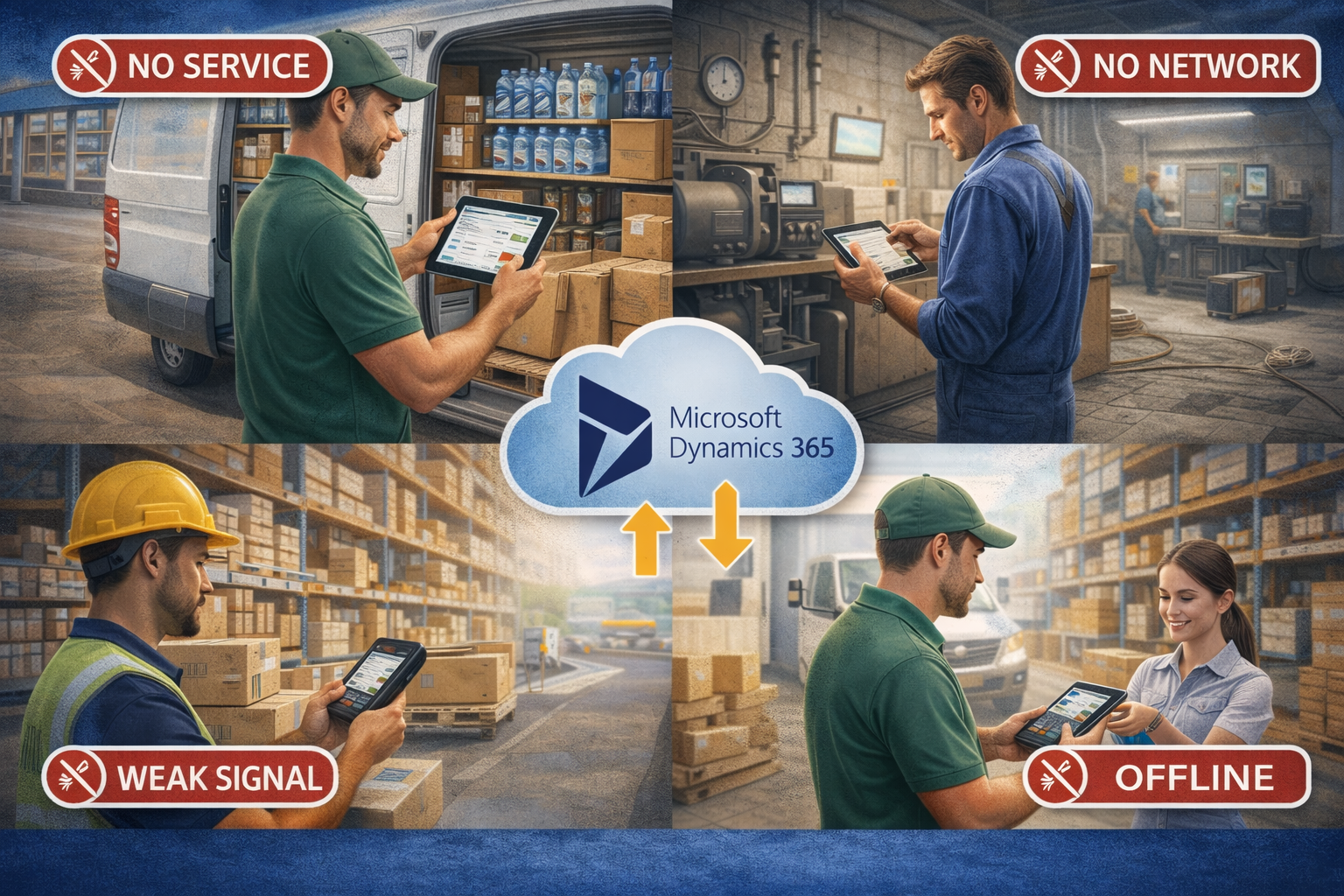
In today's fast-paced business landscape, field operations—whether in sales, service, or logistics—are the lifeblood of distributors, wholesalers, and logistics companies. Yet, the persistent challenge of unreliable internet connectivity often cripples productivity, delays critical updates, and frustrates field teams. Imagine a sales representative unable to place an order, a service technician unable to access crucial equipment history, or a delivery driver unable to record proof of delivery simply because of a weak signal. This common scenario highlights a critical vulnerability in modern enterprise mobility: the dependency on constant online access. The solution lies in intelligently designed offline mobile applications that keep your operations running smoothly, regardless of network availability, seamlessly integrated with Microsoft Dynamics 365 Business Central.
The Imperative of Offline Capability in Modern Field Operations
For organizations leveraging Microsoft Dynamics 365 Business Central or Finance & Operations, empowering field teams with offline capabilities isn't merely a convenience; it's a strategic necessity. It addresses fundamental operational challenges:
- Addressing Unreliable Connectivity: From rural routes and expansive warehouses with Wi-Fi dead zones to urban basements and remote construction sites, consistent internet access is rarely guaranteed. Offline apps ensure continuous operation where connectivity is intermittent or non-existent.
- Mitigating Productivity Loss and Operational Delays: Every minute spent waiting for a signal or manually recording data for later input is a minute of lost productivity. Offline access means immediate data entry, task completion, and information retrieval, keeping workflows fluid.
- Ensuring Data Integrity and Preventing Data Loss: Working offline eliminates the risk of incomplete transactions or lost data due to network drops mid-entry. All actions are securely stored locally until a stable connection allows for synchronization.
- Enhancing Customer Experience: Field sales can confirm stock and place orders instantly; service technicians can complete jobs and generate invoices on the spot. This responsiveness elevates customer satisfaction and builds trust.
- Gaining a Strategic Advantage: By enabling continuous operations and ensuring that data is eventually synchronized, businesses gain a clearer, more timely picture of their field activities, leading to better decision-making and competitive edge.
Core Design Principles for Robust Offline Mobile Apps
Developing or selecting an offline mobile app for Business Central requires adherence to several key design principles to ensure reliability and performance:
Intelligent Data Synchronization
- Strategies for Data Sync: Not all data needs to be offline. Implement partial synchronization, allowing users to select specific customer accounts, product catalogs, or work orders to download. Utilize delta synchronization to only transfer changes, rather than entire datasets, optimizing bandwidth and speed.
- Configurable Data Sets: Allow administrators to define what data is pushed to specific user roles or devices, minimizing local storage requirements and enhancing security.
Conflict Resolution Mechanisms
When multiple users modify the same record offline and then sync, conflicts can arise. A robust system needs clear rules:
- Last-in Wins: The most recent change takes precedence.
- User Choice: Present conflicting versions to the user and allow them to decide.
- System-Defined Rules: For critical data, pre-defined business rules can dictate which version is accepted (e.g., higher value, specific user role).
Intuitive UI/UX for Disconnected Use
- Clear Offline Status Indicators: Users should always know if they are online or offline.
- Manage Queues for Pending Uploads: Visibly show pending transactions and their status, providing reassurance that data will sync.
- Prioritize Critical Functions: Ensure core tasks remain easily accessible and functional even without a connection.
Robust Local Data Storage
- Secure and Efficient Storage: Utilize encrypted local databases (e.g., SQLite) to protect sensitive operational data on the device.
- Data Retention Policies: Define how long data remains on the device and when it's purged, balancing accessibility with security.
Security Considerations
- Authentication and Authorization: Ensure users are authenticated even when offline, and their permissions are respected.
- Data Encryption: Implement encryption for data at rest (on the device) and in transit (during synchronization) to protect against unauthorized access.
Real-World Offline Scenarios: Boosting Productivity Across Your Business
The practical applications of robust offline capabilities are vast, directly impacting the efficiency of your field teams:
Field Sales / DSD (Direct Store Delivery)
Imagine a DSD driver visiting a remote convenience store where cell service is notoriously spotty. With an offline app:
- They can perform offline order entry, accurately capturing new orders directly into the app.
- Conduct inventory checks on the van, knowing exactly what's available for immediate delivery.
- Access customer history, previous order details, and specific pricing agreements, even without a signal.
- Apply pricing updates and promotions that were synced before starting the route, ensuring accuracy.
- All data is securely stored and synchronized with Business Central automatically upon regaining connection.
Field Service
A service technician enters a large manufacturing plant basement to repair machinery, losing all connectivity:
- They can still manage work orders, update job status, and mark tasks as complete.
- Access equipment history and maintenance manuals stored locally on their device.
- Look up parts inventory, identify necessary components, and even record parts consumed.
- Record service time and capture customer signatures for job completion, with all data queuing for sync.
Warehouse Operations
In a vast warehouse, Wi-Fi dead spots are common, impacting efficiency for forklift operators or pickers:
- Workers can perform receiving of goods, picking orders, packing, and cycle counting without constant Wi-Fi.
- They can conduct inventory adjustments and transfers, with data syncing back to Business Central when online.
- This ensures continuous flow of goods and accurate inventory records despite connectivity challenges.
Last-Mile Logistics
A delivery driver navigating a city with intermittent signal or making deliveries to areas with poor reception:
- They can capture proof of delivery, including signatures and photos, even offline.
- Record delivery exceptions or damage notes in real-time.
- Manage returns and process necessary documentation.
- Update route progress, ensuring dispatchers have the latest information once synced.
Strategic Implementation: Integrating Offline Apps with Business Central
Successful deployment of offline mobile apps requires careful planning and integration:
Data Model Mapping
Carefully align the mobile app's data structure with Business Central's tables and fields. This ensures seamless two-way data flow, preventing discrepancies and ensuring data integrity across your systems.
API Integration and Synchronization Logic
Leverage Business Central APIs (e.g., OData) for efficient, secure data exchange. Design robust sync logic that handles both uploads (from device to Business Central) and downloads (from Business Central to device), managing queued transactions and background syncing effectively.
Device and User Management
Establish clear policies for device provisioning, security, and user access. Ensure that only the right data is available to the right personnel on authorized devices, aligning with your corporate security standards.
Comprehensive Testing and User Training
Rigorous testing of offline functionality, synchronization processes, and conflict resolution is paramount. Follow this with thorough, hands-on training for field teams, ensuring they understand how to leverage the app's offline capabilities and troubleshoot common issues.
Leveraging Platforms Built for Dynamics 365
Choosing a solution purpose-built for Dynamics 365, such as Dynamics Mobile, offers significant advantages. These platforms are designed with native Business Central integration in mind, often providing pre-configured offline capabilities, robust synchronization engines, and industry-specific templates that accelerate deployment and reduce development costs.
Maximizing ROI and Future-Proofing Your Offline Strategy
To ensure your investment in offline mobile technology yields lasting benefits, focus on continuous improvement and strategic foresight:
Defining Key Performance Indicators (KPIs)
Measure the impact of offline capabilities on tangible metrics such as:
- Increased field team productivity (e.g., more orders per day, faster service times).
- Reduction in data entry errors.
- Improved customer satisfaction scores.
- Operational efficiency gains (e.g., reduced administrative overhead).
Continuous Feedback Loops
Establish mechanisms for field teams to provide ongoing input on app performance and functionality. This user-centric approach drives iterative improvements, ensuring the app evolves with operational needs.
Scalability for Growth
Ensure the chosen offline solution can scale with your business needs, accommodating more users, devices, and increasing data volumes as your enterprise expands.
Embracing New Mobile Technologies
Stay abreast of advancements in mobile operating systems, device capabilities, and data synchronization techniques to keep your field operations at the cutting edge.
Ensuring Long-Term Data Security and Compliance
Regularly review security protocols and ensure compliance with industry regulations for data handling in disconnected environments, adapting to new threats and requirements.
The ability to operate seamlessly offline is no longer a luxury but a fundamental requirement for modern enterprise mobility, particularly for businesses running on Microsoft Dynamics 365 Business Central. By adopting these best practices, you can empower your field teams to work efficiently and effectively, transforming connectivity challenges into a competitive advantage. Explore how Dynamics Mobile, built on Microsoft Dynamics 365, empowers your field teams with robust offline capabilities, designed for seamless operations and maximum productivity across sales, service, and logistics.